 The Nerdy Tech Blog
Managing Kubernetes Secrets the GitOps Way with External Secrets Operator
Thu 21 May 2026As a professional DevOps engineer, I used a couple of different approaches for maintaining Secrets in Kubernetes clusters in the past. Ranging from
- keeping them in an external secret store and adding them manually to the cluster
- over storing them encrypted in a git repo and applying them in some kind of automated way
- to using Operators syncing Secrets with external Secret stores automatically
The first two options were rather cumbersome and had security flaws. As things are evolving constantly and I want to improve my secret management for the Kubernetes clusters at home, I was looking recently at the current state of secret management solutions. Reading the ArgoCD documentation about secrets management I learned about their recommendations. I also did some further research to check what new solutions are out there.
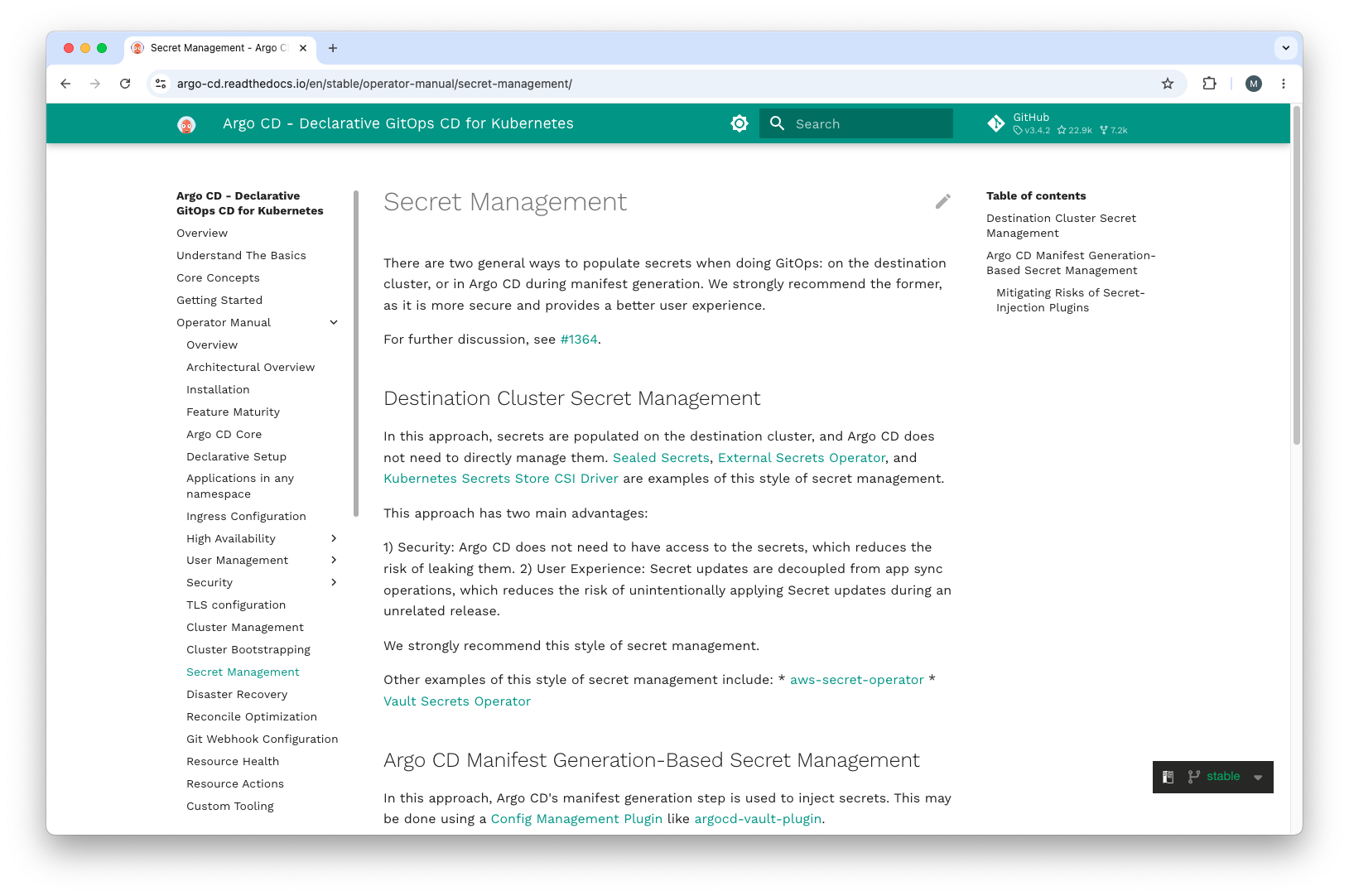
Secret Management Solutions
So what you want to do nowadays is destination cluster secret management. This way ArgoCD does not need to deal with Secrets itself, instead the Secret handling is done by another Operator especially dedicated to this task. The usage of an external secrets management solution like AWS Secrets Manager or HashiCorp Vault has a couple of advantages:
- RBAC for secrets
- secure and encrypted location for your secrets
- versioning of secrets
- automatic secret rotation
- audit and monitoring of secret usage
- users do not have to deal with secret encryption
Plus in bigger companies dedicated teams usually run the secret management solution. They don't need to have Kubernetes know-how.
You can say that there are roughly three groups of Operators which deal with Secrets differently.
- Operators encrypting Secrets with keys stored inside the Kubernetes cluster, i.e. Sealed Secrets
- Operators syncing Secrets with external Secret stores automatically, i.e. External Secrets Operator or Vault Secrets Operator
- CSI driver syncing Secrets with external Secret stores automatically and store them in Volumes i.e. Kubernetes Secrets Store CSI Driver
Sealed Secrets
Using Sealed Secrets you need two components:
- the cluster-side operator
- the client-side
kubesealCLI tool
The kubeseal utility uses asymmetric crypto to encrypt secrets that only the controller can decrypt.
These encrypted secrets are encoded in a SealedSecret Custom Resource,
which you can see as a recipe for creating a secret. These SealedSecrets are then safe to check into your git
repository.
Advantages
- Simple concept: encrypt once, store in git, decrypt automatically in the cluster
- No external runtime dependencies — works entirely within the Kubernetes cluster
- Pure GitOps workflow: all configuration including encrypted secrets lives in a git repository
- Open source with a large and active community
Disadvantages
- Users need to install and use the
kubesealCLI tool with direct cluster access for every secret CRUD operation - Exposing the controller to
kubesealis undesirable especially in multi-tenant Kubernetes clusters - Managing secrets is a manual and time-consuming process — there is no automation beyond the initial encryption step
- No built-in secret rotation capabilities
- No audit trail for secret access
- If the controller's private key is lost or compromised, all secrets need to be re-encrypted from scratch
- Secrets are cluster-specific — migrating or sharing secrets between clusters requires re-sealing everything
- No integration with dedicated external secret management solutions
External Secrets Operator
The External Secrets Operator (ESO) synchronizes secrets from external secret
management systems into Kubernetes. It supports a wide range of backends including
AWS Secrets Manager, GCP Secret Manager,
Azure Key Vault,
HashiCorp Vault and many more. ESO introduces three
Custom Resources:
a SecretStore (namespace-scoped) or ClusterSecretStore (cluster-scoped) that defines how to connect to
the external store, and an ExternalSecret that defines which secrets to fetch and how to map them into a
Kubernetes Secret. The operator continuously
reconciles the desired state — when a secret changes in the external store, ESO will sync the change into
the cluster according to the configured refresh interval.
Advantages
- Supports a broad range of external secret backends, giving you flexibility in your infrastructure stack
- Secret values are never stored in git — only references and configuration are committed
- Automatic secret refresh based on a configurable interval enables easy secret rotation
- Full RBAC and audit trail are handled by the external secret store
ClusterSecretStoreallows syncing secrets across namespaces from a single store configuration- Well-maintained CNCF Sandbox project with wide adoption in production environments
- Decouples secret management from cluster management — dedicated teams can manage the secret store independently
Disadvantages
- Requires an external secret store as additional infrastructure — there is no built-in store
- Synced secrets are stored as regular Kubernetes Secrets in etcd (base64 encoded), so cluster RBAC still needs to be properly configured
- The operator's credentials for accessing the external store must be secured carefully
- The external store must be reachable from the cluster at all times — it becomes a hard runtime dependency
- More complex initial setup compared to Sealed Secrets
Kubernetes Secrets Store CSI Driver
The Kubernetes Secrets Store CSI Driver takes
a fundamentally different approach. Instead of syncing secrets into Kubernetes
Secrets, it mounts secret values directly as
files into pod Volumes via a
Container Storage Interface (CSI) driver.
The driver retrieves secrets from an external store (AWS, Azure, GCP, Vault, etc.) when a pod starts and makes
them available as files in the pod's filesystem. A SecretProviderClass custom resource defines which secrets
to fetch and how to mount them.
Advantages
- Secrets are mounted directly as files into pods — by default they are never stored as Kubernetes Secrets in etcd
- Reduced attack surface: secrets are only accessible to the specific pod that requests them via its volume mount
- Secret values are fetched fresh from the external store on every pod startup
- Optional Kubernetes Secret sync is available for use cases that require environment variables
- Works with the same broad range of external providers as ESO
Disadvantages
- More complex architecture: requires a CSI driver DaemonSet and a provider plugin running on every node
- Secrets are only available when a pod is actively running and has the volume mounted
- Applications need to read secrets from files at a specific path rather than from environment variables by default
- Pod startup fails if the external secret store is unavailable at that moment
- Less suitable for controllers or operators that expect Kubernetes Secrets directly
- Harder to adopt without modifying existing application configuration to read from file paths
In this video they do a demo for External Secrets Operator and the Kubernetes Secrets Store CSI Driver. This way you get a rough idea how they work and what the key differences are.
Why Use External Secrets Operator?
The core principle of GitOps is that git is the single source of truth — everything is declared as code, committed to a repository, and an operator continuously reconciles the actual cluster state to match that desired state. Secrets sit awkwardly in this model because you cannot commit plaintext values to git. The three solution categories handle this tension very differently, and ESO is the one that fits the GitOps model most naturally.
Sealed Secrets comes closest to a pure git-based workflow, but the kubeseal CLI requirement breaks the
GitOps automation loop. Every time you create or rotate a secret someone has to run kubeseal with direct
cluster access, then commit the result. The human is in the loop for every CRUD operation, which is exactly
what GitOps is supposed to eliminate. There is also no automatic rotation — a rotated secret means another
manual cycle. In a team environment, granting developers kubeseal access to a shared or multi-tenant cluster
creates an unacceptable security exposure.
The Kubernetes Secrets Store CSI Driver solves the git-storage problem differently — secret values never touch etcd — but the trade-off is that secrets only exist while a pod is running and has the volume mounted. This pod-centric model does not compose well with the rest of the Kubernetes ecosystem: controllers, operators, and many Helm charts expect to find a named Kubernetes Secret they can reference. Adopting the CSI driver often means modifying application configuration to read from file paths, which adds friction and limits compatibility. It is a good choice when you specifically need to keep secrets out of etcd, but it is not a general-purpose GitOps secret management solution.
ESO gives you the best fit for GitOps for three reasons:
Only the declaration lives in git, never the value. You commit an ExternalSecret manifest that says
"fetch this key from this store and create a Kubernetes Secret named X". The actual secret value stays in
the external store. ArgoCD or Flux applies the manifest, ESO reconciles the Kubernetes Secret — no human
steps, no special tooling, no cluster access required beyond what your CI/CD pipeline already has.
Rotation is fully automatic. When a secret value changes in the external store, ESO picks it up on
the next refresh cycle without any git commit, pipeline run, or manual intervention. The desired state
in git (the ExternalSecret declaration) never changes, but the live secret stays current.
Compatibility with the entire Kubernetes ecosystem. The resulting Kubernetes Secret is a standard resource. Every Deployment, StatefulSet, operator, or Helm chart that already reads secrets by name continues to work without modification. ESO slots into your existing workloads invisibly.
Configuring External Secrets Operator
You can install ESO conveniently via Helm:
helm repo add external-secrets https://charts.external-secrets.io
helm install external-secrets external-secrets/external-secrets \
    --namespace external-secrets \
    --create-namespace
Once installed, you define how to connect to your external secret store using a ClusterSecretStore.
The following example connects to AWS Secrets Manager using
IAM Roles for Service Accounts
(IRSA), which is the recommended authentication method on EKS clusters:
apiVersion: external-secrets.io/v1beta1
kind: ClusterSecretStore
metadata:
  name: aws-secrets-manager
spec:
  provider:
    aws:
      service: SecretsManager
      region: eu-central-1
      auth:
        jwt:
          serviceAccountRef:
            name: external-secrets
            namespace: external-secrets
With the store configured, you create an ExternalSecret in each namespace where you need a secret.
The following example fetches a JSON secret from AWS Secrets Manager and maps its fields to a Kubernetes Secret:
apiVersion: external-secrets.io/v1beta1
kind: ExternalSecret
metadata:
  name: database-credentials
  namespace: my-application
spec:
  refreshInterval: 1h
  secretStoreRef:
    name: aws-secrets-manager
    kind: ClusterSecretStore
  target:
    name: database-credentials
    creationPolicy: Owner
  data:
    - secretKey: username
      remoteRef:
        key: my-application/database
        property: username
    - secretKey: password
      remoteRef:
        key: my-application/database
        property: password
The refreshInterval controls how often ESO checks the external store for updates and reconciles the
Kubernetes Secret. Setting creationPolicy: Owner means ESO owns the resulting Secret and will delete
it when the ExternalSecret is removed. The remoteRef.key is the path to the secret in the external
store, and remoteRef.property extracts a specific field from a JSON-structured secret value.